Last updated ·Published ·By the WiserWork team

Link to QR Code
The quickest way to get a link out of your laptop and into your hand. Right-click a page, a link or a piece of text, choose the QR entry, and the code is already on screen.
What it does
Sending a page from a computer to a phone is a small task with no good answer. Emailing yourself a link is clumsy, a messaging app means opening a messaging app, and typing a long address on a phone keyboard is nobody's idea of an afternoon. A QR code solves it in about a second, but only if making one is quicker than the problem it solves.
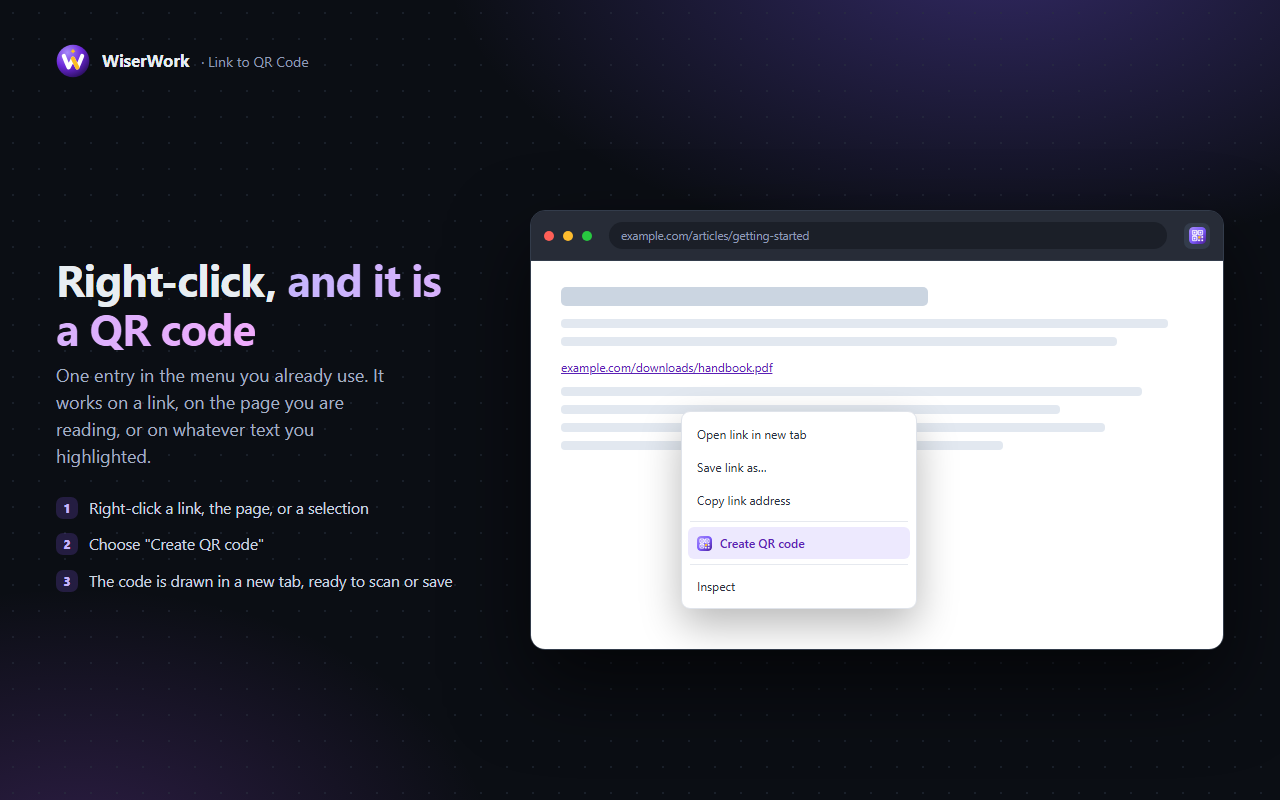
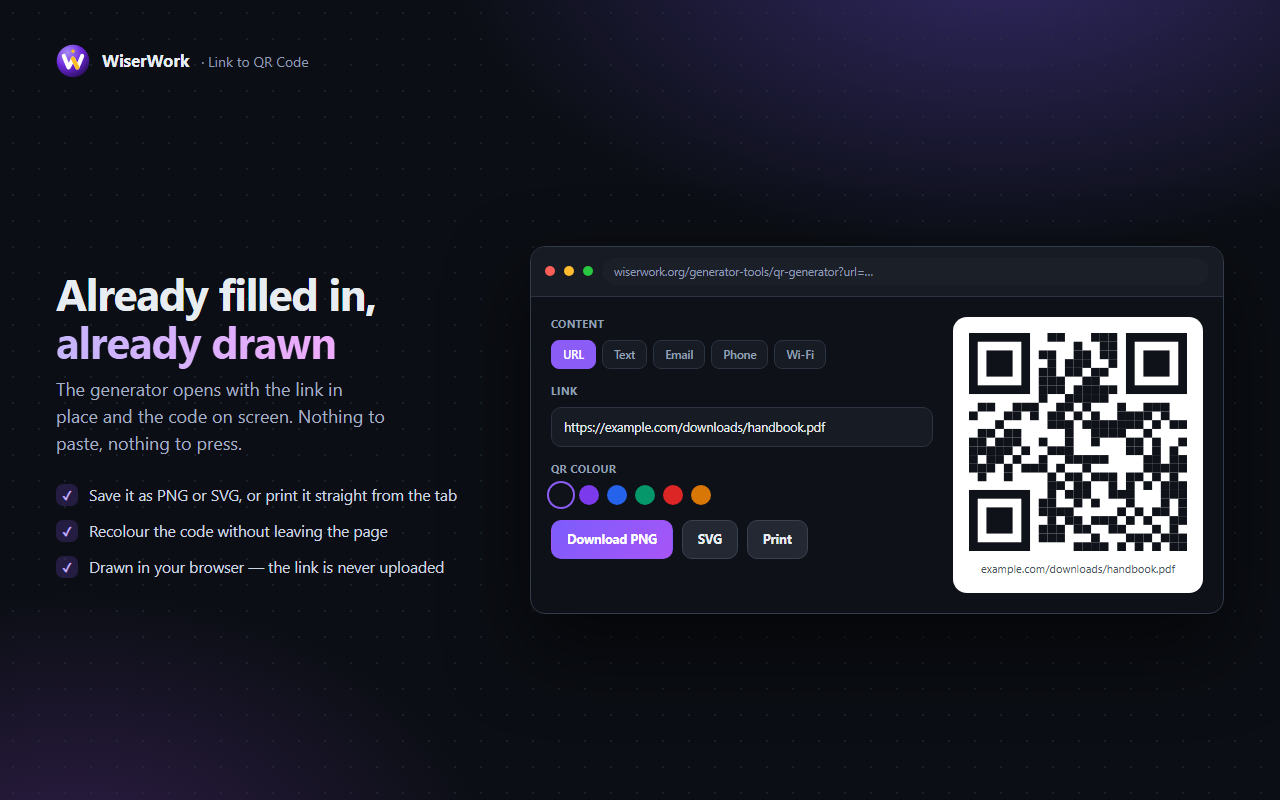
That is the whole point of this extension. Right-click a link, an empty part of the page or a piece of selected text, choose the QR entry, and WiserWork's QR Code Generator opens in a new tab with the value already filled in and the code already drawn. Point a camera at the screen, or download the code as a PNG or an SVG for a slide, a label or a poster. The code is drawn in your own browser — nothing is uploaded.
Features
Three things it can encode
Right-click a link for its address, the page for the address you are on, or a selection for the text itself.
Already rendered
The generator opens with the value filled in and the code drawn. There is nothing left to type and nothing left to press.
Straight to your phone
Point a camera at the screen and the page opens on the phone. No self-addressed emails, no typing an address by hand.
Save it as an image
The generator behind it exports a PNG for documents and slides, or an SVG that stays sharp at poster size.
No host permissions
contextMenus and activeTab are all it asks for. It never reads a page in the background and injects nothing.
Keyboard shortcut
Alt + Shift + Q makes a code for the page you are on without opening the menu at all.
How to use it
- Right-click what you want as a code — a link, an empty part of the page, or a piece of text you have selected.
- Choose the QR entry from the menu. It reads Link to QR code, Page to QR code or Selection to QR code depending on what you clicked, so you always know what is about to be encoded.
- Let the generator open. WiserWork's QR Code Generator appears in a new tab with the value in the box and the code already drawn.
- Scan it or save it. Point a phone camera at the screen, or press download for a PNG or an SVG.
- Adjust it if you need to. Size, colours and error correction are all in the tool, so a code destined for a poster can be made as large and as robust as you like.
What the extension can access
Two permissions, and no access to any website. This is the complete list:
| Permission | Why it is needed |
|---|---|
contextMenus |
Adds the QR entries to the right-click menu. The browser hands the extension only the link, page address or text you clicked on — never the rest of the page. |
activeTab |
Supplies the address of the tab you are on when you ask for a code of the current page, at the moment you ask for it. It gives no standing access to your browsing. |
| No host permissions | The extension asks for access to no website, injects nothing into pages and cannot read page content. Choosing a menu entry is the only way it ever receives anything. |
Privacy in one line: the extension has no server and stores nothing. The link or text is handed to the generator page, where the code is drawn in your own browser and never uploaded. Read the detail in the extensions section of our privacy policy.
Things worth knowing
- The code is drawn by the generator page in your browser. Neither the extension nor WiserWork ever receives the link.
- A QR code holds a limited amount of data. A very long address still works, but the pattern becomes dense and dense codes are harder to scan when printed small.
- Chrome does not allow extensions to run on its own pages, so the menu entries do not appear on
chrome://pages or in the Chrome Web Store. - A selection is encoded as plain text, so a phone will show it rather than open it — unless the text is itself a web address.
- Anyone who can see your screen can scan the code. Treat a code for a private link exactly as you would treat the link.
Frequently Asked Questions
Is Link to QR Code free?
Yes, completely. Every feature works from the first click, with no paid tier, no trial and no account.
Is the link I turn into a code sent anywhere?
No. The extension has no server. It passes the value to WiserWork's QR Code Generator, where the code is drawn in your own browser, so nothing is uploaded and nothing is stored.
What can I turn into a QR code?
A link you right-click, the address of the page you are on, or any text you have selected. Text is encoded as text, so a phone shows it rather than opening it.
Can I save the code as a file?
Yes. The generator the extension opens can download the code as a PNG for slides and documents, or as an SVG that stays sharp however large you print it.
Do very long links still work?
They do, but the more a code has to hold the denser its pattern becomes, and a dense code is harder for a phone to read when it is printed small. Shorten a long address before printing it at stamp size.
Which permissions does it need?
Two. contextMenus puts the entries in the right-click menu, and activeTab reads the current page's address at the moment you ask for a code of it. It requests no host permissions and cannot read page content.
Related tools on WiserWork
Prefer not to install anything? These do the same jobs straight from a web page:
- QR Code Generator — the tool the extension opens, with size, colour and error-correction controls.
- UTM Builder — tag a campaign link before you turn it into a code.
- URL Encoder / Decoder — clean up an address that is full of escaped characters.
- URL Parser — see exactly what a long tracking link is carrying.
- Thumbnail Downloader for YouTube — another of our free Chrome extensions, for grabbing the thumbnail off any video you are watching.