Last updated ·Published ·By the WiserWork team

Thumbnail Downloader for YouTube
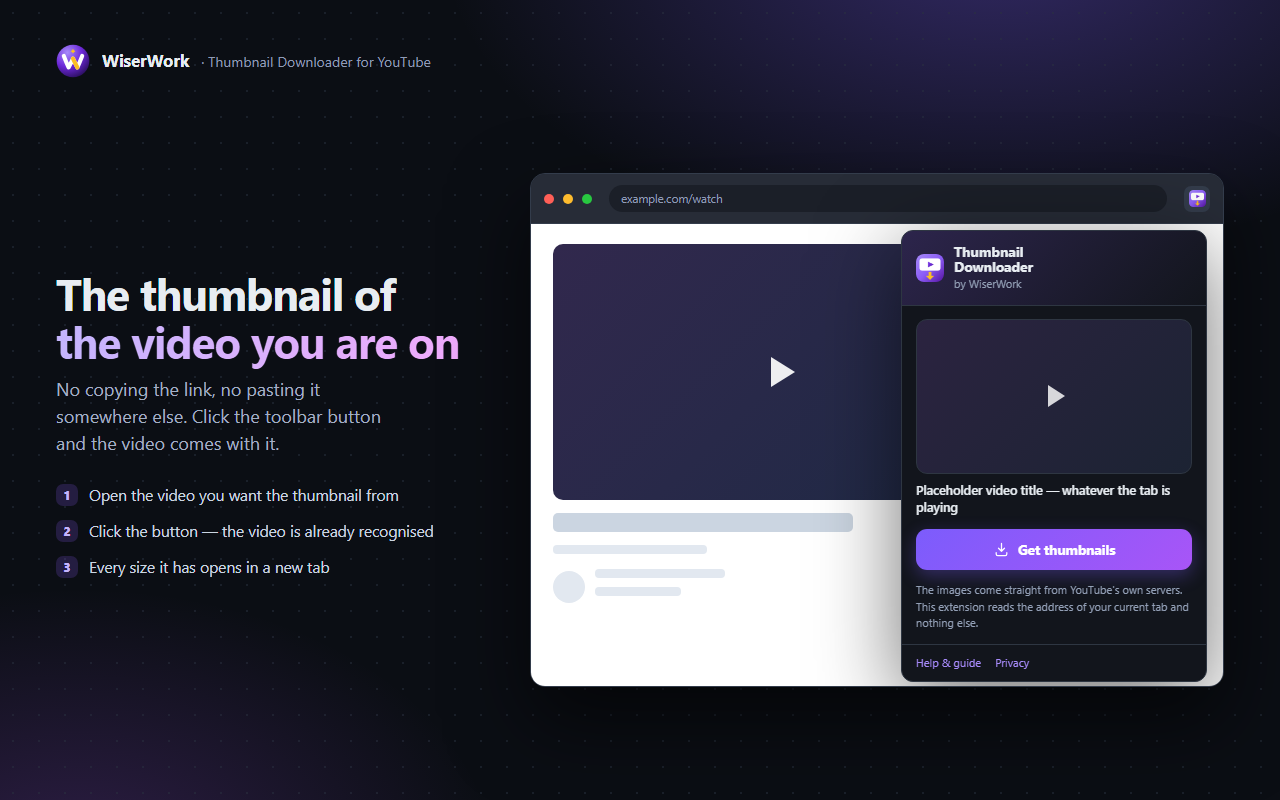
You are on a YouTube video and you want its picture. Click the toolbar button and the downloader opens with that video already loaded and every size it has ready to save.
What it does
A YouTube thumbnail is a plain image sitting at a public address, but getting hold of it is oddly fiddly: right-clicking the player gives you nothing, and the usual answer is to copy the video address, find a downloader, paste it in and hope it still works. This extension removes all of that. You are already on the video, so it uses the video you are already on.
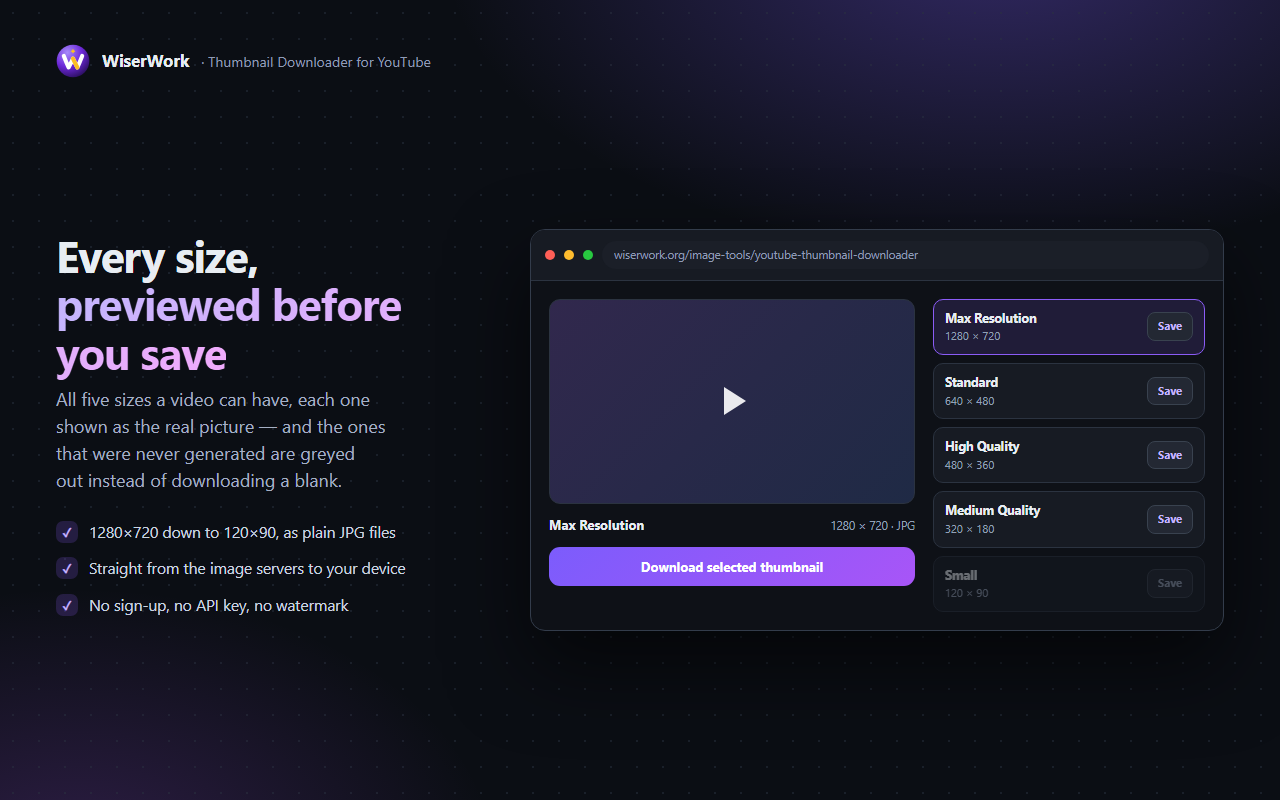
Press the toolbar button and WiserWork's YouTube Thumbnail Downloader opens in a new tab with that video loaded and every resolution YouTube published for it laid out side by side — maxres at 1280x720, sd at 640x480, hq at 480x360, mq at 320x180 and the 120x90 default. Pick the one you need and save it. Nothing is uploaded, and the extension asks for no access to any website.
Features
Every size on offer
maxres 1280x720, sd 640x480, hq 480x360, mq 320x180 and the 120x90 default, each with its own download button.
No copying and pasting
The button reads the video you already have open, so there is no address to copy and no box to paste it into.
Every kind of YouTube address
Ordinary watch pages, youtu.be short links, Shorts, embedded players and live URLs all resolve to the same video.
See it before you save it
Each resolution is shown at its real proportions, so you download the one you actually want instead of all five.
activeTab and nothing more
No host permissions and no background access to your browsing. The current tab is read only at the moment you click.
Keyboard shortcut
Alt + Shift + T does the same as the toolbar button, without reaching for the mouse.
How to use it
- Open the YouTube video whose thumbnail you want. A normal watch page, a Short, an embedded player or a youtu.be link all work.
- Click the extension button in the toolbar, or press Alt + Shift + T. Pin the extension if it is hidden behind Chrome's puzzle-piece icon.
- Let the tool open. WiserWork's YouTube Thumbnail Downloader appears in a new tab with the video already loaded.
- Choose a resolution. Only the sizes that video actually has are listed, so you never end up with a grey placeholder.
- Press download. The image is saved to your downloads folder as a JPG, at full quality and with no watermark.
What the extension can access
The extension asks for one permission, and nothing else. This is the complete list:
| Permission | Why it is needed |
|---|---|
activeTab |
Reads the address of the tab you are looking at, once, at the moment you click the button. That is how it knows which video to load. It gives no standing access to your browsing and no ability to read page content. |
| No host permissions | The extension asks for access to no website in advance, injects nothing into pages and runs no background scripts. Until you press the button it does nothing at all. |
Privacy in one line: the extension has no server, no analytics and no storage. It reads the current tab's address when you click and does nothing else with it. Read the detail in the extensions section of our privacy policy.
Things worth knowing
- The images come from YouTube's own public thumbnail addresses, so what you can download is whatever YouTube published for that video.
- The 1280x720 maxres version only exists for videos uploaded with a large enough image. Older or smaller uploads stop at 640x480, and the missing size is simply left out of the list.
- Chrome does not allow extensions to run on its own pages, so the button does nothing on
chrome://pages or in the Chrome Web Store. - If the tab is not a YouTube video, the tool opens with an empty box and you can paste any video address into it by hand.
- A thumbnail belongs to whoever uploaded the video. Saving one for reference, a review or a mock-up is one thing; republishing it as your own is another.
Frequently Asked Questions
Is Thumbnail Downloader for YouTube free?
Yes, completely. Every feature works from the first click, with no paid tier, no trial and no account.
Which thumbnail sizes can I download?
Every size YouTube publishes for that video: maxres at 1280x720, sd at 640x480, hq at 480x360, mq at 320x180 and the default at 120x90. Sizes the video does not have are left out of the list, so you never download a placeholder.
Does it work with Shorts and youtu.be links?
Yes. It reads the video id from ordinary watch pages, youtu.be short links, Shorts, embedded players and live URLs, so the button works wherever the video is playing.
Why do some videos have no 1280x720 version?
The maxres image is only generated for videos uploaded with a large enough thumbnail. Older and smaller uploads stop at 640x480, and the extension simply does not offer a size that does not exist.
Does the extension track what I watch?
No. It has no server, no analytics and no storage of any kind. It reads the address of the tab you are on only at the moment you press the button, and it asks for no host permissions at all.
Can I use a downloaded thumbnail however I like?
The image belongs to whoever uploaded the video. Saving one for reference, a review, a study or a mock-up is normally fine, but republishing it as your own is not. Check the rights before you publish it anywhere.
Related tools on WiserWork
Once you have the image, these browser-based tools handle the rest — no install required:
- YouTube Thumbnail Downloader — the web tool the extension opens, usable on its own in any browser.
- Image Resizer — set an exact width or height for a slide or a post.
- Image Compressor — shrink a 1280x720 thumbnail before you upload it somewhere.
- Compress JPG — squeeze the file size further without an obvious quality drop.
- Full Webpage Screenshot — another of our free Chrome extensions.